STARTING TOO LATE
The IRS says approval can take up to 45 days, and that clock doesn't speed up in January.

Your EFIN is what lets your firm e-file with the IRS, and it's what you need to get set up with professional tax software. Approval can take up to 45 days, and one missing detail can push you past opening day. Get the free guide, or let us walk you through it.
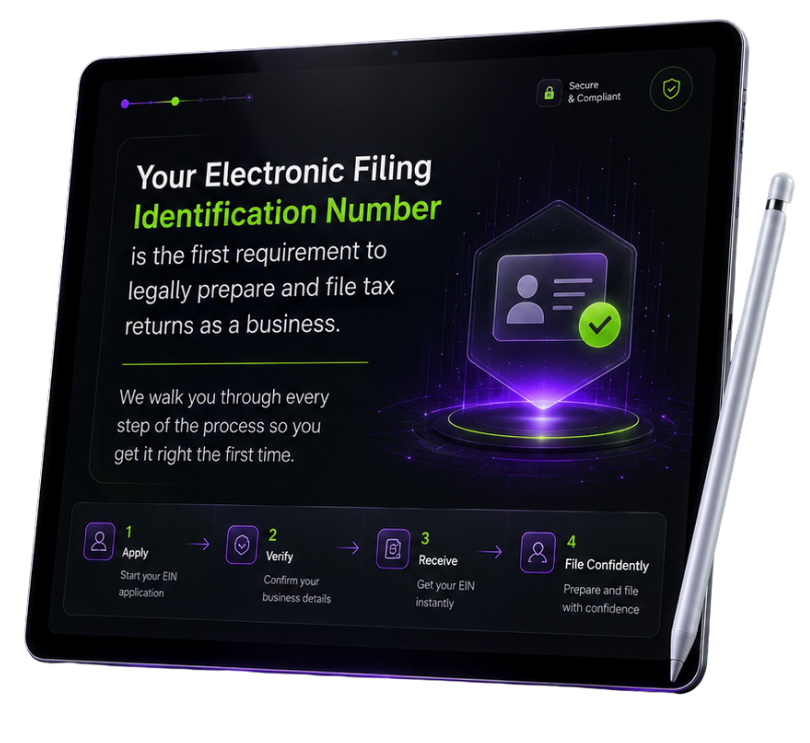
Most delays aren't the IRS. They're details that weren't ready before the application started.
The IRS says approval can take up to 45 days, and that clock doesn't speed up in January.
Essential people in your firm must be approved for IRS e-Services accounts before the firm can even begin.
Anyone without a professional credential schedules their own Livescan appointment. Missing it can delay approval.
The IRS may review credit, tax compliance, criminal background, and past e-file compliance.
Return preparers who e-file for clients generally choose Electronic Return Originator. Picking wrong means fixing it later.
A little preparation saves weeks of waiting.
An EFIN identifies a firm that has completed the IRS e-file application and been accepted as an authorized IRS e-file provider. It's what lets your firm e-file returns, and it's what you need to get set up with professional tax software.
The EFIN is firm-based. Your application covers the firm, its principals, responsible officials, provider role, and professional status.
Approval isn't instant. The IRS reviews the application and runs a suitability check before issuing your acceptance letter and EFIN.
Gather this for your firm, principals, and responsible officials before you start.
Sign in or create an IRS account to reach e-Services. Essential individuals must be approved for e-Services before the firm can begin.
Legal business name, tax identification information, address, entity details, and other requested firm information.
The people who control the firm and the individuals responsible for following IRS e-file rules.
Choose the role that fits your operation. Return preparers who e-file for clients generally select Electronic Return Originator (ERO).
Certified or licensed individuals, such as attorneys, CPAs, and enrolled agents, enter their current status. Everyone else is fingerprinted through an IRS-authorized Livescan vendor.
The IRS may check credit history, tax compliance, criminal background, and prior e-file compliance.
The IRS says approval can take up to 45 days from submission. Missing information, fingerprinting, or additional review can extend that, so start well before you plan to transmit returns.
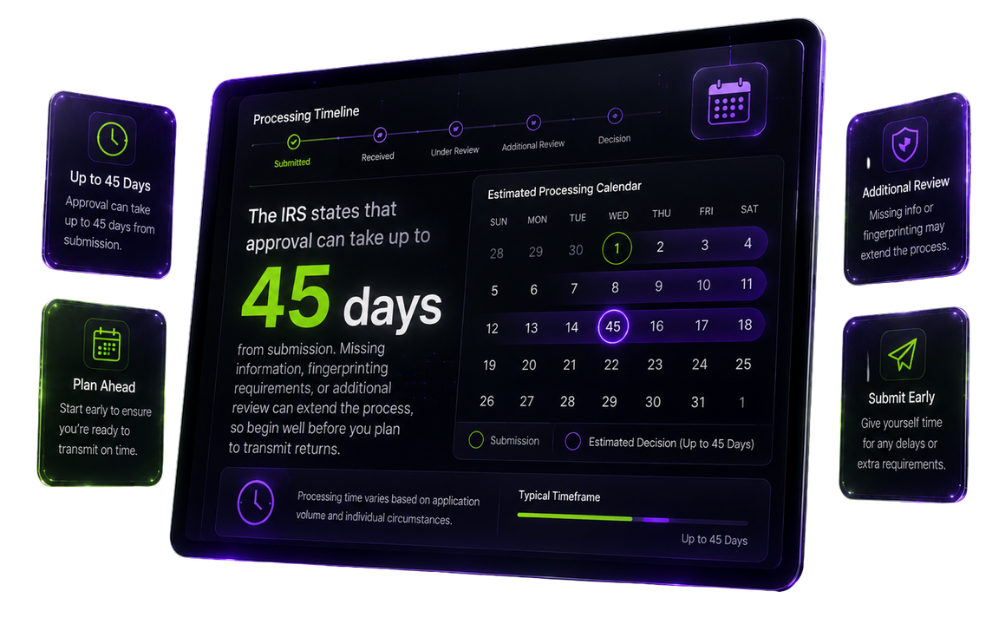
Complete each stage carefully, and keep your firm information current after approval.
Obtain or renew PTINs for anyone who prepares federal returns for pay, and gather your firm's legal and ownership information.
Sign in to your IRS account and open e-Services. Make sure every essential person's e-Services account is approved first.
Enter firm, principal, responsible official, provider role, and professional status information. You can save and come back.
Anyone without a professional credential schedules their own Livescan appointment from the application summary page. Then the IRS runs its suitability check.
The IRS sends an acceptance letter with your firm's EFIN. Protect it, and use it only for your approved firm.
The complete checklist and step-by-step process to do it yourself, at your own pace.
A focused session to review where you are, what you still need, and your exact next step.
Once your acceptance letter arrives, it's time to get ready to file.
Keep it secure and use it only for your approved firm.
Pick Cloud or Desktop to match how your office works.
Your CRM comes ready with our tax office setup.
Learn your software before the season hits.
The IRS says it can take up to 45 days from the date you submit your application. Missing information, fingerprinting, or additional review can make it take longer.
A PTIN identifies an individual paid return preparer. An EFIN identifies a firm accepted into IRS e-file. Anyone who prepares federal returns for pay needs a PTIN, and your firm needs an EFIN to e-file.
Not if you're a certified or licensed professional, such as an attorney, CPA, or enrolled agent, and you enter your current professional status. Otherwise, each principal and responsible official is fingerprinted through an IRS-authorized Livescan vendor, scheduled from the application summary page.
The IRS may review credit history, tax compliance, criminal background, and prior noncompliance with IRS e-file requirements.
Yes. You'll need your approved EFIN to get set up with TaxPro HQ software and e-file your clients' returns.
Yes. The 30-minute EFIN walkthrough is free. Pick a time that works for you.
IRS requirements can change. Always confirm current details at IRS.gov.
Get your EFIN application ready the right way, with the free guide or a free walkthrough.